Mostrando entradas con la etiqueta david. Mostrar todas las entradas

miércoles, 7 de febrero de 2018

How to search your web on google.com

Hi,

Like all people know, google have a domain for region. For example, for searching your web on google in Spain you have to use https://www.google.es, for searching your web in USA you have to use https://www.google.com.

But we have a problem using https://www.google.com. Automatically, you will be redirect to your region domain. For example, if you are in Spain, you will be redirect to https://www.google.es.

For resolving this problem, you can access to the url https://www.google.com/ncr and you could use the USA domain and you can investigate your SEO in America and how are you publishing there.

For example, acceding to https://www.google.com/ncr and searching the words david angular java full stack you will see on the first position of the google link list the domain https://davidmartinezros.com/dashboard?lang=en, which is my english web.


And if you search on https://www.google.es and searchs the words david angular java full stack you will see on the first position the domain https://davidmartinezros.com/dashboard?lang=es, which is my spanish web.


If you have any question, ask me on the comments.

miércoles, 24 de mayo de 2017

The way to implements Unit Tests in Spring Boot

For doing Tests in Spring Boot you have to know the next things:

- You need a java test and resources test directories in your project. In the resources directory you put the files for the src/test/java and the src/test/resources directory the test you want to pass when you do the maven build.
- You need am application-TEST.yml file in your resources directory for configure the test calls.
- When you implements a Test you have to use the next anotations before the class name:

@org.junit.runner.RunWith(SpringJUnit4ClassRunner.class)
@org.springframework.boot.test.SpringApplicationConfiguration(classes = ClassName.class)
@org.springframework.test.context.ActiveProfiles(value = "TEST")

- For test a Service implemented in you src/main/java directory you have to indicate this way:

@org.springframework.beans.factory.annotation.Autowired
MyService service;

- At last, you need to indicate the method that test one call like:

@org.junit.Test
public void test() {
    ... do the test and finally verify the result of the test
    assertThat(result).isEqualTo("OK");
}

Here you have implemented your first test.

For call it, you have to run the maven test option.

For skip one test, you can indicate @org.junit.Ignore and the test don't will be executed.

For skip all test, you can indicate to maven that don't want to execute test this way:

Go to run configuration and check the option skip tests.

Any question of this tip, don't doubt ask me!

Try it and have fun!

lunes, 7 de noviembre de 2016

Bind json data to tree component with Angular 2

Here we come again!

Today with news of a useful component that can shows you the way to continue your own components in Angular2.

Here you can see the demo (click the Project link button).

We have two components: the tree component and the node component (the tree component is an array of node components).

Take a look to the tree.component (html and css files):


And here is the ts file:


You can see that we don't need a css file and the html iterate an array of node and calls the app-node-tree with the root properties.

Now take a loot to node.component (html and css files):


Here we can see the styles of my node, setting the div and img style's and the html file. There is a div with the images that we have to load on the node and later we iterate the array of children of the node.

We use a recursive component, because we call the aap-node-tree in an app-node-tree.

Take a look to ts file:


In this Typescript file we load the node with the loadNode method. The ancestors and the property lastNode indicates whether the node is the last sibling of the same parent.

There is a method that change the state between expand and collapse of the image in the node.

At last, we will see the tree.json file with the structure of our tree, that we can change with the structure we want:


On my example, we have to repeat this structure three times and we will get our tree.

I hope you find this article interesting!

Here you can see the example.

This example is done with Angular-cli.

Here you can find the repository of the component done by @davidnezan.

Try it and have fun!

miércoles, 26 de octubre de 2016

Bind json data to html table with Angular 2

Here I come again!

In this example I will show how to bind a JSON file with an html table with Angular2 (the new version of AngularJS, but with Typescript).

Here you can see the demo (click the Project link button).

We need a Service Object and a Component Object and I'm going to use Angular-cli to create them.

First of all, take a look to Service class:

(we will create them with: ng generate service [my.servicename.service])

And I make the next modifications:


The Service returns an Observable of any type, that makes asyncron the call from the Component. So you can extend the code by using any structure of JSON file and making some modifications.

Now I will show you the Component, that we will create with the instruction (ng generate component [componentname.component]):


The Component will call our Service and save the information of the JSON file.

Now comes the HTML file and the CSS file:


Here you can see the use of ngFor, the declaration of a variable with "let" and the attribute "async" that makes asyncron our request.

The JSON file will look like this. You can put the attributes you want, but it's important that the HTML file have the sames name of the JSON file's attributes.


And finally, I can show you the structure of the project that has been done with Angular-Cli, as I said in the beginning.


This is my Git Repository where I push this project and you can get it: https://github.com/davidmartinezros/bind-json-array-to-html-table.

Thanks for reading me, I hope it will help you!

Try it and have fun!

Wishes returns

The last article was to remember something that I'm not compromised over.

When there are thinks in life than you are not compromised over, one thing carries out to another.


When you have remembered all of them, you know which you liek one, which you like two and which let you touch the infinite.


The search is funny and, when you find what you want to do, the life smiles you.


To remember John makes whishes returns.


And which is you will ask yourserlves?


So, is part of the imagination, the fantasy and my vocation. Something that I could learn, funs me and it could be useful for me. Also is important that is something I have prepared for.


All makes sense. With 3D everything has it's place. My mind is organised, my virtual memory increases, my habilities are more virtuous and to write ceases to be an essentially professional and other reasons make me to write.


My aim is now to concentrate in videogame development with Unity's Software, concretely Unity3D. It's in which are made the videogames at the moment.


My idea is make a remake videogame, but with actually thing. I'm going to explain it:


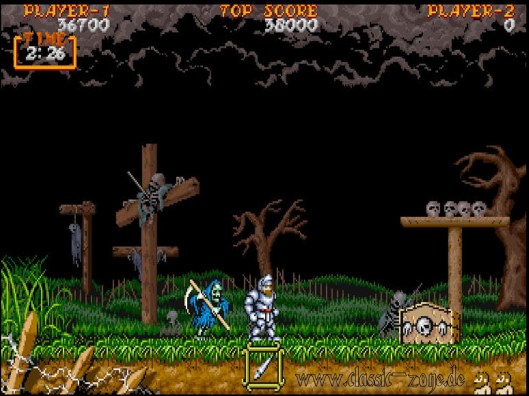
"I saw a game in the Barcelona Games World with the name Ghost’n Goblins of the company Capcom. And I remember how were the old games. Nicely done games, funny games, actually games are overly complicated, makes think too much and don't enjoy so much.. My idea is to do a game like old ones, but with the actually thinks".


I search collaborators, if you are interested contact me and we talk about how you can aid the project.


I'm going to publish news about the project “Ghost’n Goblins: The Remake”.


Here's my project git repository.


Try it and have fun!